How to turn a blog post into a short video
A blog post already has the story a short video needs. How to pick the right post, cut it to 30–60 seconds, and make a narrated, captioned video from it, by hand or with Ojelio.
Updated October 11, 2026 · 3 minutes to read

A good blog post already did the hard part of a video: it found something worth saying and put it in order. What it lacks is the format people watch on their phones: vertical, under a minute, with a voice and words on the screen. This guide shows how to get from one to the other.
Pick a post that works as a video
Not every post makes a good short video. The ones that do usually have:
- One clear idea. "Why sourdough needs a starter" works; "Everything about bread" does not fit in a minute.
- A concrete subject you can show. Food, places, objects, steps, before and after. Abstract posts can work, but they need stronger pictures.
- A useful or surprising point early on. That becomes the first seconds of the video, the part that decides whether someone keeps watching.
How-to posts, lists, explainers and stories with a turn in them are the easiest place to start.
Cut it to 30–60 seconds
A narrator reads roughly 130 to 160 words a minute, so a 45-second video holds about 100 words. A 1,000-word post has to lose nine words in ten. Keep:
- A hook in the first sentence: the question, the surprising fact or the result.
- Three or four points at most, one per scene.
- One closing line that says where to read the rest.
Write it to be heard, not read: short sentences, one idea each, no lists of numbers.
Make it vertical, captioned and branded
- Vertical (9:16) for YouTube Shorts, TikTok and Instagram Reels; square (1:1) for feeds such as LinkedIn and Facebook.
- Captions on. Many people watch with the sound off, and captions that follow the voice word by word keep them reading along.
- One picture per scene, changing every few seconds, in a look that stays the same from scene to scene.
- Your colors, fonts and logo, the same on every video, so people recognise your videos before they read the name.
Doing it by hand
Without a tool, the steps are: write the script, record the voice (or use a text-to-speech service), find or make a picture for each scene, edit them together on a timeline, add captions timed to the voice, add music, and export in the right size. For one video that is an afternoon; for every post, it rarely happens.
Doing it with Ojelio
Ojelio does the same steps for you, and shows each one as it happens:
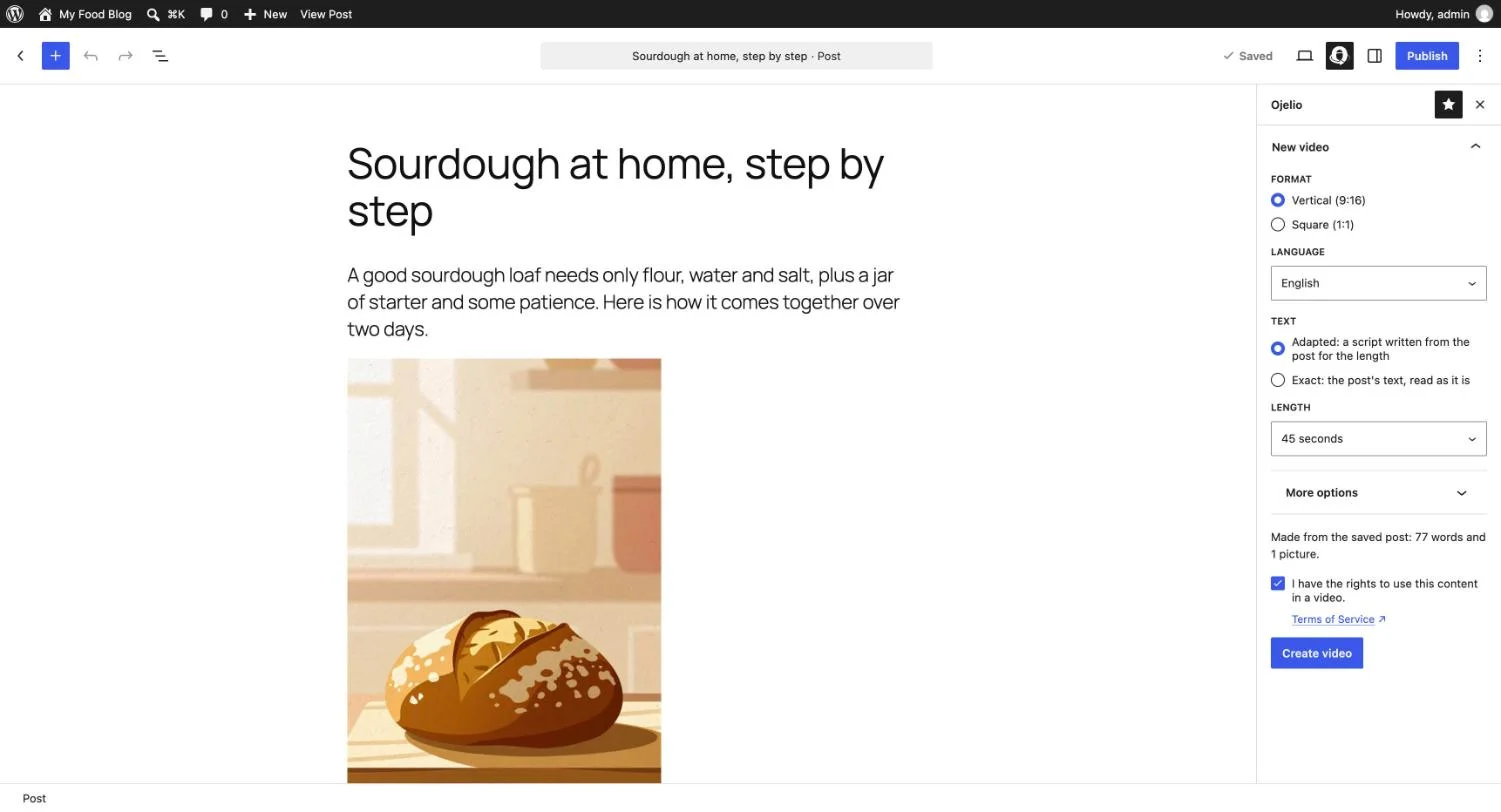
- Bring the post in. Paste the text, import it from its link or its site's feed, or send it from WordPress with the plugin. The text and its pictures stay in order.
- Choose how the text is used. Adapted writes a short script for the length you choose; Exact reads your text word for word.
- Choose the look. Vertical or square, the narrator (each has a sample to play), English or Portuguese, a built-in style or your own brand kit, captions and music.
- Review the script if you want. You can read and edit each scene before the pictures and the voice are made.
- Download the MP4, ready to post.
The free plan makes 5 videos a month of up to 60 seconds, with "Made with Ojelio" on them; no card is needed. Paid plans remove the mark, or put your logo there, and make videos of up to 90 seconds.
Post it where people will see it
- Upload the file to each network rather than sharing a link to it; short-video feeds favour videos posted on them.
- Write a one-line caption with the post's main point and a link to the article (in the description on YouTube, in the bio or a comment elsewhere).
- Use only content you have the rights to: your own posts, or articles whose author has said yes.